들어가며
스프링 시큐리티는 SecurityContext에 인증 객체(Authentication)를 저장한다
public String getCurrentUser() {
        Authentication authentication = SecurityContextHolder.getContext().getAuthentication();

        // Principal 객체 (UserDetails 구현체) 가져오기
        Object principal = authentication.getPrincipal();

        if (principal instanceof UserDetails userDetails) {
            return "현재 로그인한 사용자: " + userDetails.getUsername();
        } else {
            return "현재 로그인한 사용자: " + principal.toString();
        }
    }
그래서 컨트롤러에서 SecurityContextHolder.getContext().getAuthentication() → getPrincipal()을 타고 들어가면 로그인한 사용자의 정보를 꺼낼 수 있지만, 이렇게 매번 SecurityContextHolder를 직접 꺼내 쓰면 컨트롤러 코드가 지저분해지고, 꺼낼 수 있는 정보도 상황에 따라 한정적이게된다
Authentication authentication =
SecurityContextHolder.getContext().getAuthentication();
CustomUser custom = (CustomUser) authentication == null ? null : authentication.getPrincipal();
Spring Security 3.2부터는 @AuthenticationPrincipal 어노테이션을 활용해 줄 수 있는데, 이 어노테이션은 현재 인증 객체의 principal을 메서드 파라미터로 “주입” 해준다
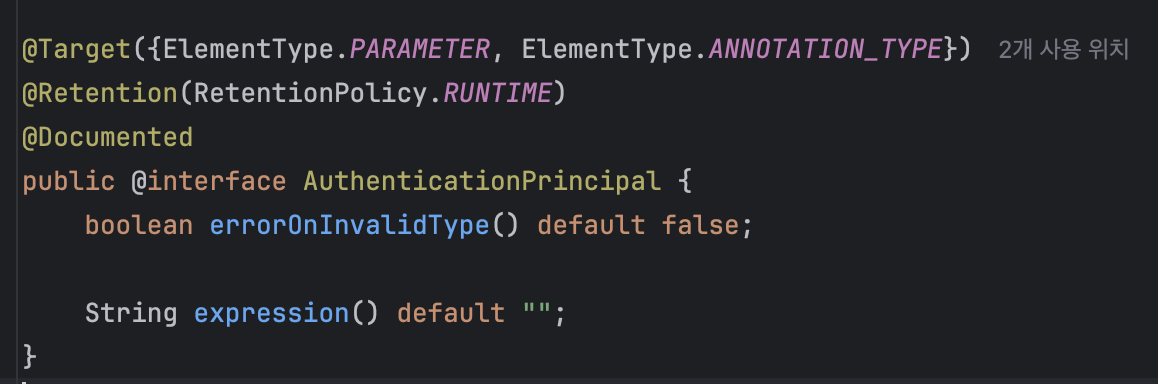
이번 포스팅은 앞서 설명한 AuthenticationPrincipal의 개념을 활용한 CurrentUser에 대한 내용을 다뤄보려고 한다
@CurrentUser 추상화
@RestController
@RequiredArgsConstructor
@RequestMapping("/api/youtube")
public class YoutubeController {
    private final YoutubeCrawlerService youtubeCrawlerService;

    @Hidden
    @PostMapping("/{productId}/crawl")
    public ApiResponse<CrawlResponse> crawl(@PathVariable Long userId) {
        List<String> videoUrls = youtubeCrawlerService.crawlAndStoreReviews(userId);

        return ApiResponse.success(HttpStatus.OK, ResponseMessage.CRAWL_SUCCESS.getMessage(),
                CrawlResponse.of(videoUrls));
    }
}
먼저 흔히 사용할 수있는 컨트롤러의 예시이다.
로그인한 사용자와, 로그인하지 않은 사용자를 구분하기 위해 JWT 토큰을 헤더에 받고, 비즈니스 로직에서 유저와 관련한 정보를 필요로 하기때문에 userId를 헤더나 바디에 받는 방식이라고 이해해주면 된다
하지만 CurrentUser를 추상화해서 로직을 구현하면, 아래처럼 헤더에 토큰만 넣어준다면, 클라쪽에서 별도로 userId를 보내줄 필요가 없게된다
Authorization: Bearer eyJ...즉, 토큰만 헤더에 실어서 보내면 서버가 자동으로 JWT 토큰에서 userId를 읽어 비즈니스 로직에 전달해준다. (요청 스펙이 깔끔해지고, 불필요한 필드가 하나 줄어든다)
어떤 원리로 가능한걸까 ?
@CurrentUser 작동 방식
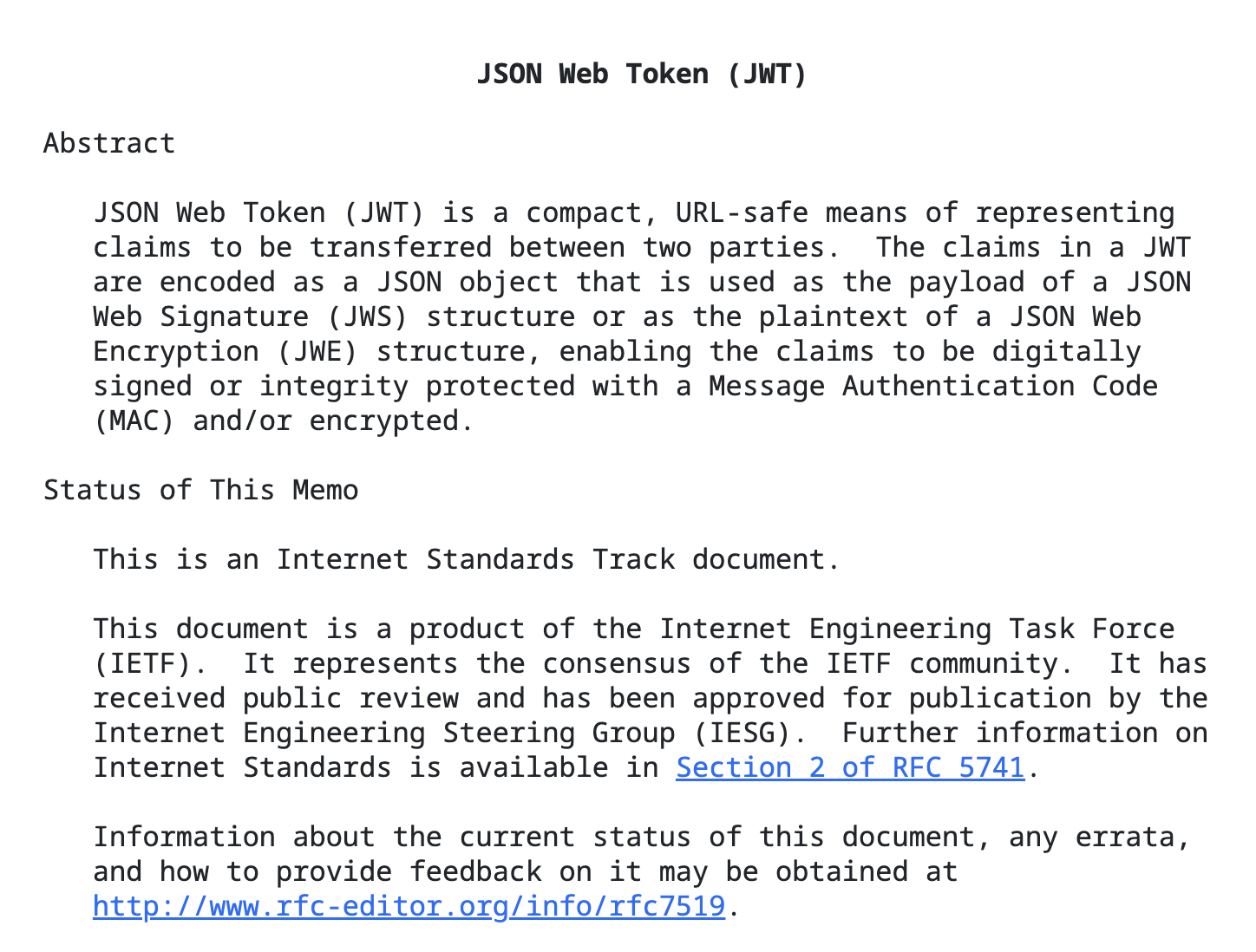
JWT는 “양 당사자 사이에서 전달할 클레임을 안전하게 표현”하는 표준이다(RFC 7519). 헤더 + 페이로드 + 서명 세 부분으로 구성되고, 페이로드에 sub, iss, exp 같은 표준 클레임과 id 같은 커스텀 클레임을 넣을 수 있는데, 우리는 여기에 userId를 담아둔다고 가정해보자
그러면 클라에서 요청을 보낼때 해당 값들로 암호화된 JWT가 담겨져서 온다면, 스프링 시큐리티에서 Authorization: Bearer 토큰을 자동으로 검증하고, Authentication을 구성해 SecurityContextHolder에 넣어서 principal이 Jwt 객체가 되어 클레임을 바로 읽을 수 있게 되는것이다
토큰에 어떤 값이 들어있는지 궁금하면 jwt.io 같은 디버거로 바로 확인할 수 있다
JSON Web Tokens - jwt.io
JSON Web Token (JWT) is a compact URL-safe means of representing claims to be transferred between two parties. The claims in a JWT are encoded as a JSON object that is digitally signed using JSON Web Signature (JWS).
www.jwt.io
본문
이제 실제 구현한 내용을 단계별로 설명해보려고 한다
실제 구현 플로우
이제 실제 구현한 내용을 단계별로 설명해보려고 한다
@Target({ElementType.PARAMETER})
@Retention(RetentionPolicy.RUNTIME)
public @interface CurrentUser {
}
가장 먼저, 컨트롤러 파라미터에 붙일 마커 애노테이션을 정의해준다
그 다음 CurrentUserResolver를 구현해주었다
@Component
public class CurrentUserResolver implements HandlerMethodArgumentResolver {

    @Override
    public boolean supportsParameter(MethodParameter parameter) {
        return parameter.hasParameterAnnotation(CurrentUser.class)
                && parameter.getParameterType().equals(Long.class);
    }

    @Override
    public Object resolveArgument(MethodParameter parameter,
                                  ModelAndViewContainer mavContainer,
                                  NativeWebRequest webRequest,
                                  WebDataBinderFactory binderFactory) {
        Authentication authentication = SecurityContextHolder.getContext().getAuthentication();

        if (authentication == null || authentication.getPrincipal() == null
                || !(authentication.getPrincipal() instanceof Jwt jwt)) {
            return null; // or throw
        }

        return Long.valueOf(jwt.getClaimAsString(JwtProvider.ID_CLAIM));
    }
}
전체적인 메서드의 흐름은 아래와 같다
- SecurityContextHolder에서 현재 토큰 꺼내기. (스레드 로컬 기반 컨텍스트)
- principal은 보통 Jwt. 여기서 getClaimAsString("id") 같은 식으로 클레임을 읽어 userId로 변환
- 상황에 따라 null 대신 예외를 던질 수도 있음
그리고 구현한 리졸버를 MVC에 등록해야한다
@Configuration
@RequiredArgsConstructor
public class WebMvcConfig implements WebMvcConfigurer {

    private final CurrentUserResolver currentUserResolver;

    @Override
    public void addArgumentResolvers(List<HandlerMethodArgumentResolver> resolvers) {
        resolvers.addFirst(currentUserResolver);
    }
}
나는 WebMvcConfigurer#addArgumentResolvers로 커스텀 리졸버를 가장 앞에 두도록하여 우선 적용되도록 설정해주었다
마치며
맨처음에 서론에서 설명했던 예시의 코드는 아래처럼 간단해진다
@PostMapping("/{productId}/crawl")
public ApiResponse<CrawlResponse> crawl(@CurrentUser Long userId) {
    List<String> videoUrls = youtubeCrawlerService.crawlAndStoreReviews(userId);
    return ApiResponse.success(HttpStatus.OK, ResponseMessage.CRAWL_SUCCESS.getMessage(),
            CrawlResponse.of(videoUrls));
}
사실 엄청 간단한 내용이지만, 클라이언트는 헤더에 토큰만 보내면 되기때문에 불필요한 request가 간소화될 수 있다. 또한 백엔드 측면에서도 바디/쿼리/경로에 userId를 두지 않아도 되고, 서버가 검증한 토큰의 값을 사용할 수 있어서 보안적인 측면에서도 이점이 있다
참고한 자료
https://docs.spring.io/spring-security/reference/servlet/oauth2/resource-server/jwt.html
'Spring > JWT' 카테고리의 다른 글
| Refresh Token은 어떻게 관리할까 (JWT) (0) | 2025.07.01 |
|---|---|
| P-프로젝트(JWT 를 통한 인증/인가, Spring) (0) | 2025.02.13 |